31 March 2023
How to copy sections to another page in Squarespace
More of a visual learner?
WATCH THE VIDEO BELOW.
I'm gonna show you how to simply duplicate a section on your page so that you can repurpose it in a way. So if you've got a rhythm within your website that you're using. So for instance here often I'm doing photo text and then I switch it to photo texts on the other side. So I'm gonna repurpose this section here and then I'm gonna show you how to put it down where I want it to go down.
Duplicate the section
So here, I've got the photo here and I've got text here. So I just wanna repurpose this one. So what I do is you go to the section, you make sure that it's highlighted, which you see the blue outline, and then you go to this double page here and it'll say Duplicate new press. And then it'll regenerate.
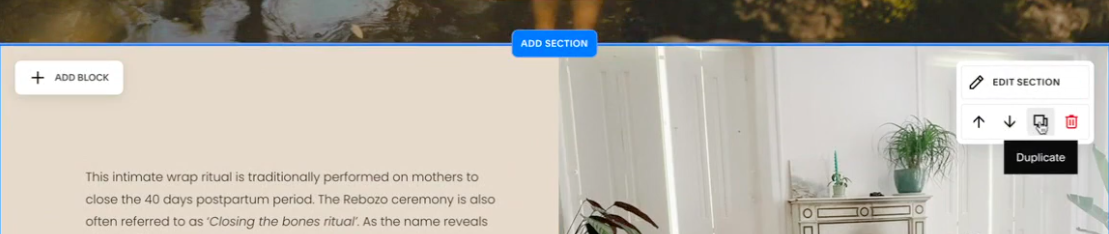
And then you go to these arrows on the right and you press down until you've gotten it to the place where you want it to.
So I want it to be at the bottom underneath this section. And there it is. And then I just rejig the words. So I put in my words and I change the picture. And there you go. So it's easy. You don't have to rebuild anything.
Next learn how to link a hidden page in your website.

If you want to stay updated with tips and tricks and design inspiration, sign up below!